Hi, Rescuer! And Welcome.
Since 2005 we have been providing a directory of UK wildlife rescuers with the aim of helping finders locate rescue help as quick as possible.
If your rescue is included, we would love you to claim ownership of the directory listing. You can then update information whenever needed, set the listing as closed when you’re full or taking a break, and we’ll ask you to verify the details twice a year. This not only helps to ensure details are accurate, it takes pressure off our volunteers, allows a logo and donation link to be added to the listing, and makes the rescue eligible for donations via our ‘£1 for Wildlife‘ campaign.
If you’ve already claimed your listing, you need to login to your user account to manage it.
Otherwise, head to the ‘Guidance’ or ‘FAQ’ tab for information on how to claim and manage your listing.
The guidance below covers how to register and log in to the site, and how to add, claim, edit, and renew a directory listing. This should cover most actions you need to take on the site.
There's further information on the FAQs tab as well. If, after reading both tabs, you still have questions, you can email us at directory@helpwildlife.co.uk and we will be very happy to assist.

Our aim is to compile a complete directory of all wildlife rescuers in the UK. Our directory is organised into five sections and caters for all from large wildlife hospitals, to individual rehabbers, and wildlife friendly vets. We would love to have you join us.
You'll need to start by registering an account and logging in (see below for guidance).
Then head to our Add a Listing page where you'll find details about the directory sections so you can pick the one most appropriate for your listing.
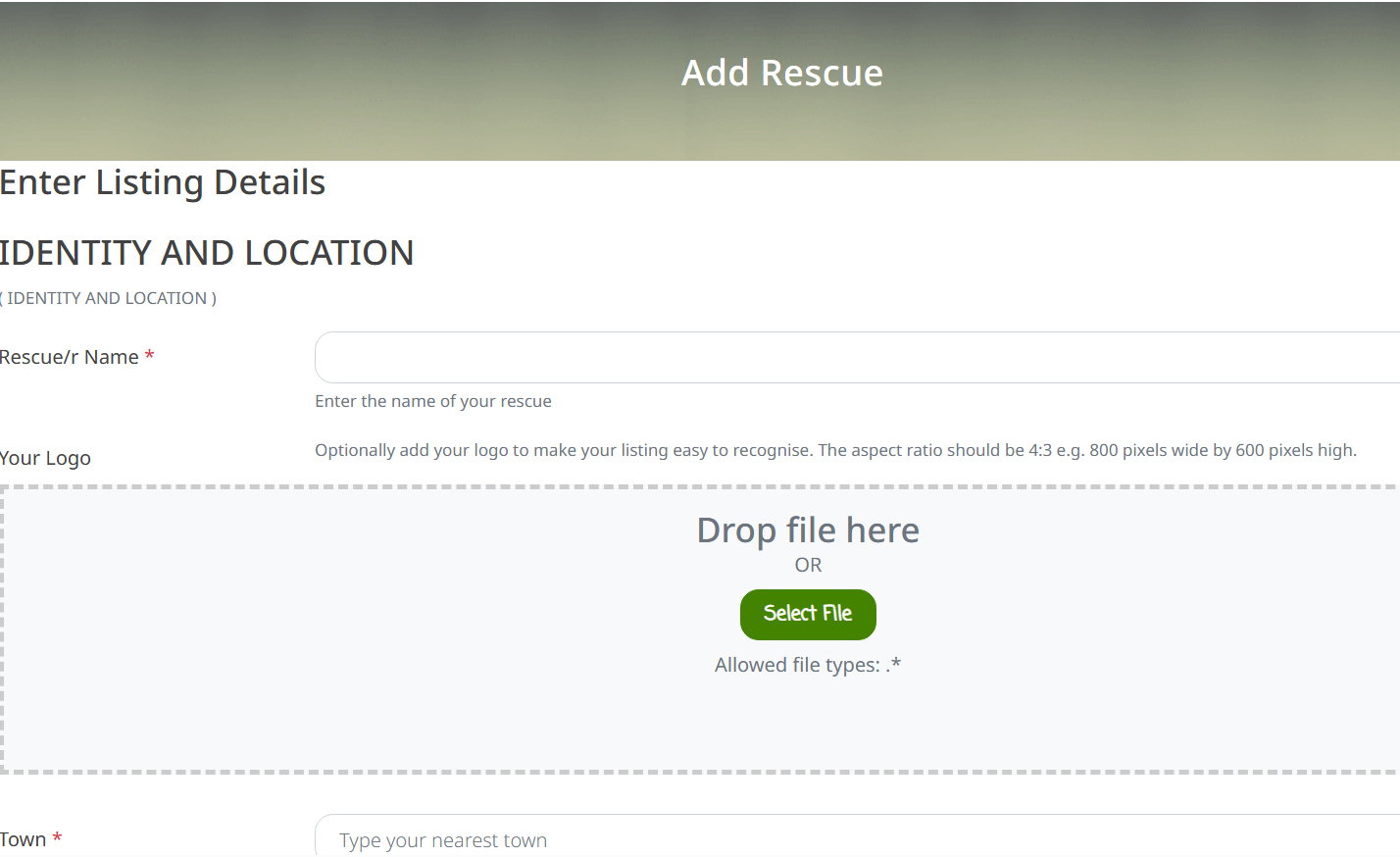
The links there will open up a form for you to complete with all your rescue details. Most fields are optional but any which are required are highlighted with a red asterix. There's some guidance in the field descriptions but if you need more detailed information about listing fields, you'll find this here - Listing Fields.
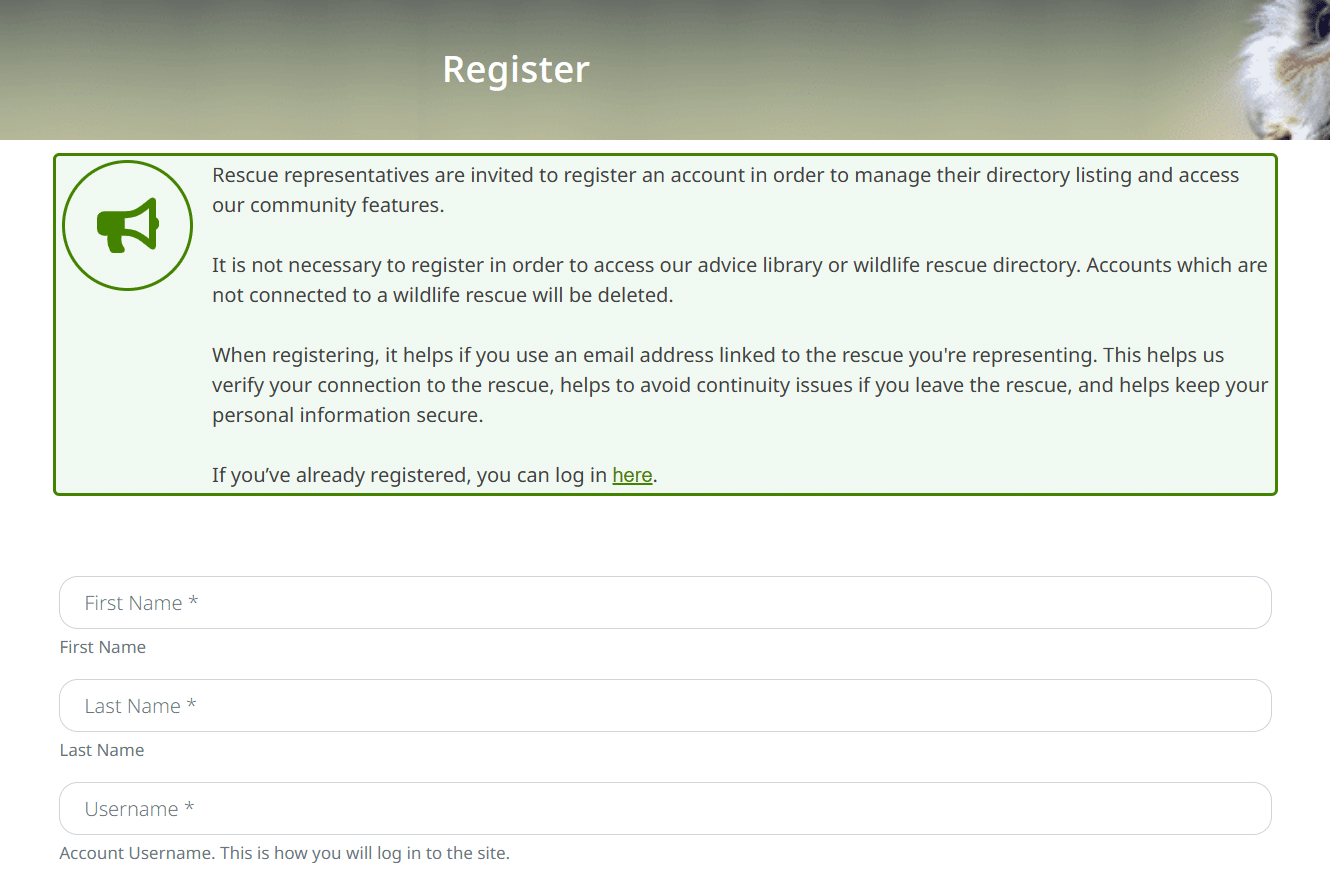
In order to add or manage a directory listing, you'll need to register a user account on the site.
You do not need to register an account in order to use the directory or view our advice articles.
To register head to our registration page and complete the short form. It's helpful if you can register using an email address linked to your rescue rather than a personal account.

Once you've registered an account, visit the login page and enter your account information.
When you're logged in, you'll see a welcome message in the bottom right of the owl banner.

If your rescue already has a listing on the site, you can claim ownership of it. This will enable you to ensure the details are up to date and you'll be able to make changes any time. Maintaining a listing in the public directory also makes your rescue eligible for gifts from our £1 for Wildlife Campaign.
To claim a listing, make sure you're logged in to your user account and then visit the listing. You'll see a 'Claim Listing' button near the top right of the page. Clicking on that will open up a very short form for you to complete. We will then review your request and aim to respond within 72 hours.

Once you've claimed ownership of a listing, you'll be able to edit it at any time. Simply visit the My Listings tab where you'll see the listings connected to your user account.
Clicking the edit button will open up a form where you can add, remove or update the information recorded. There's some guidance in the field descriptions but if you need more detailed information about listing fields, you'll find this here - Listing Fields. Once you’re done, click ‘Submit Listing’.

We ask that listings in our directory are renewed every six months, to ensure that the details are kept up to date. You’ll receive an email from us when the listing is due for renewal to prompt you to check and renew the listing.
Simply visit the My Listings tab where you'll see the listings connected to your user account. If your listing is due for renewal in the next week, or if renewal is overdue, you'll see a Renew button underneath it. Clicking that will open up a form where you can review the information recorded and choose to edit if needed.
There's some guidance in the field descriptions but if you need more detailed information about listing fields, you'll find this here - Listing Fields. Once you’re done, click ‘Submit Listing’.
Alternatively, if you're short on time and confident that the listing information is up to date, just click on 'Review'. See below for more information.
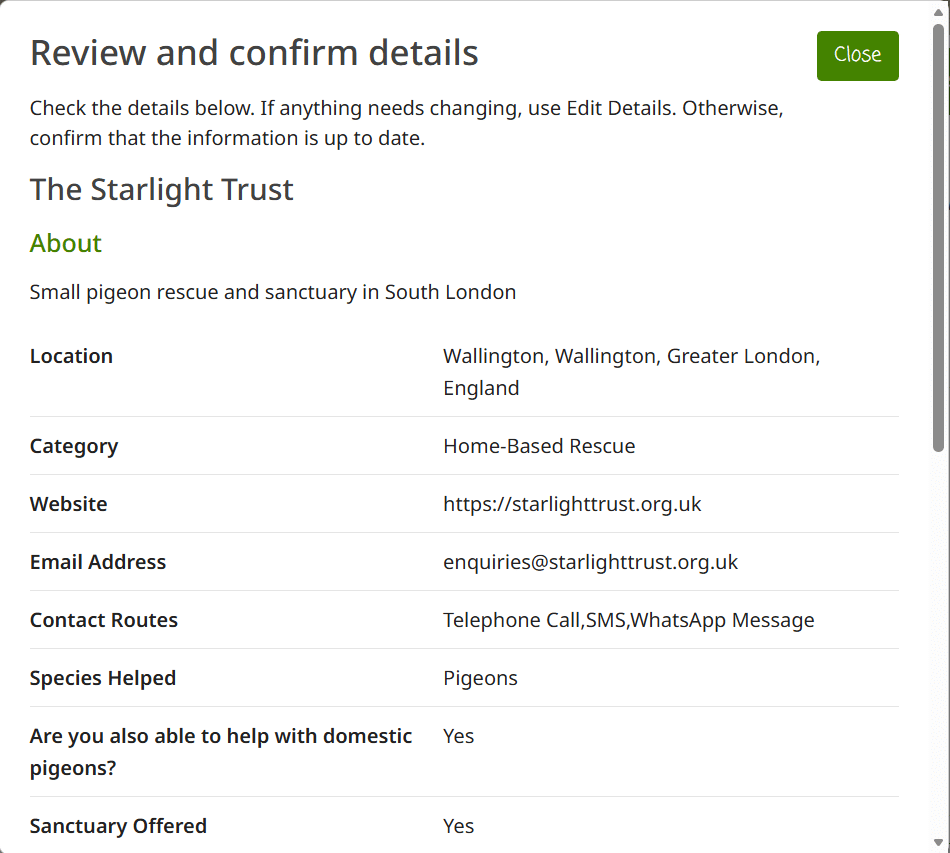
If you're confident that the information on your listing is up to date, the Review button offers a quicker way to confirm and extend your listing.
Clicking it will bring up a quick summary of the listing details. Checking the box to confirm all is well and clicking on 'Confirm Details' will extend the listing for a further six months. If you'd previously missed renewal causing the listing to lose its verified status, this will be reinstated.
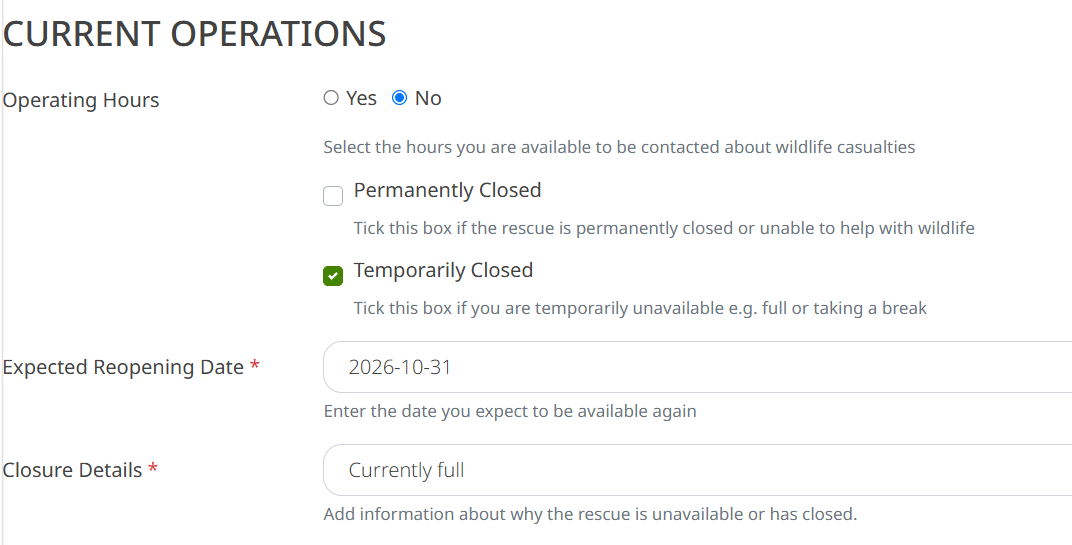
This is a handy option to use if you’re temporarily unable to take in new animals for example if you’re full or taking a break. The listing will remain on the site but flagged to say that the rescue is temporarily closed.
To set your listing as Temporarily Closed, proceed as for editing a listing above. In the listing form, scroll down to the ‘Current Operations’ section and check the box next to the ‘Temporarily Closed’ field. Two boxes will appear below – in the first (‘Closure Details’) please enter a brief explanation e.g. currently full, closed for refurbishment. In the second, (‘Expected Re-Opening Date’) please enter a rough date of when you expect to be open again. We’ll use this to send you an email to remind you to review the listing and remove the temporarily closed notice if you’re available again.
Then, scroll to the bottom of the form and click ‘Submit Listing’.
NB: Please use this option only when genuinely closed or full. If you’re finding your listing generally generates more contacts than you can handle, please see the section below on Moving or Removing your Listing.
If you wish to have your listing removed from the directory, e.g. because your rescue has closed, or you wish to move it to a different section of the directory, please complete this form.
These are some of the questions we are asked most frequently by rescuers.
For any questions not covered on either page, you can also find more general FAQs on our Contact Us page, or you can email us on directory@helpwildlife.co.uk.
You’ll need to start by registering an account and logging in, then head to our Add a Listing page.
There’s more detailed information on the ‘Guidance‘ tab.
As a rescue, you are able to ‘claim’ your directory listing, enabling you to edit it any time to ensure it’s up to date. You’ll find guidance on claiming and editing your listing on the ‘Guidance‘ tab.
Each listing can be set as ‘Temporarily Closed’. This will display a warning message in the search results and a banner on your listing which says that the rescue is closed and why. If you’ve claimed your listing, you can set it as temporarily closed any time. There’s information on this on the ‘Guidance‘ tab.
If you haven’t claimed your listing, you’ll find a form at the bottom of the ‘Guidance‘ tab through which you can ask us to set the listing as Temporarily Closed for you.
This will be either that you’re not logged in, or that you’ve not yet claimed ownership of the listing.
Look at the owl banner above – if you’re logged in, you’ll see a welcome message there. If not, go to directory.helpwildlife.co.uk/login/ to sign in.
If you still don’t see your listing, it’s because you’ve not claimed ownership of it. Visit your listing and click the ‘Claim Listing’ button near the top right.
Keep in mind there are five sections to the directory. If you’re not sure which section your listing is in, you can check this on the ‘My Listings‘ tab, then make sure you’re searching the right section (use the dropdown to the left of the search box to change sections). If your listing is in the ‘Reserves’ section, you won’t be able to view it as listings on this tier are visible only to our volunteers.
You’ll also see buttons allowing you to edit, renew or review your listing on the ‘My Listings’ tab. There’s more on this on the ‘Guidance‘ tab.
If you think your listing should be in a different section, you can find information about their criteria at directory.helpwildlife.co.uk/add-a-listing/ and a form to request the change on the ‘Guidance‘ tab.
This is why we introduced the different directory sections. The first section (‘rescues’) is the one visitors will see first when they search and will therefore attract the highest number of contacts. Simply moving your listing to the second section (‘small rescues’) will considerably reduce the number of calls you get via this site. Moving your listing to the ‘Reserves’ section will mean that your listing is no longer visible to the public and the only people contacting you will be those in touch with our helpdesk who have exhausted other options in the area.
Use the form on the ‘Guidance‘ tab to request your listing is moved.
The logo area has a ratio of 4:3 so any images in a different ratio will get cut off. Ideally, upload an image which is, for example, 400×300 or 800×600. If you have a logo in a different shape, you can create a new, blank image in the right ratio and paste your logo onto it. If you’re not sure how to do it, don’t worry, when we check your listing after it has been edited, if we spot that the logo isn’t behaving, we’ll tweak it and re-upload it for you. If we miss one or you need some help, just let us know on directory@helpwildlife.co.uk
We will send you an email a week before your listing is due to expire asking you to renew it.
If you don’t take action, you’ll receive a further reminder the day before your listing is due to expire.
If you don’t renew your listing before the expiry date, you’ll receive an email letting you know the listing has been ‘downgraded’.
As the emails above are automated, they sometimes end up in spam folders. So, subject to resources, we may send you a further manual reminder.
If you set your listing as ‘Temporarily Closed’ you’ll also receive a reminder when you told us you expected to reopen.
Hopefully these emails are not excessive but, if you’d like to limit them, the best way is to renew your listing on the first reminder.
If you don’t renew your listing by its expiry date it will ‘downgrade’. This just means that the ‘Owner Verified’, logo and donation link no longer show on your listing. Downgraded listings are also not eligible for donations via our £1 for Wildlife campaign. The listing’s visibility on the site is not affected.
You can upgrade the listing at any time, restoring the extra features and donation eligibility by going to the ‘My Listings‘ tab and using the ‘Review’ button – this will automatically upgrade the listing and move the expiry on a further six months.
We will usually set a listing as Expired for one of two reasons
– the rescue is closed/unavailable for a year or more
– we have been repeatedly unable to verify the rescue’s information and think they may have closed
Expired listings remain live on the site but they do not appear in search results. A banner lets visitors know we’ve not been able to verify the information and asks them to leave feedback if they try to contact the rescue.
To restore an Expired listing, head to the ‘Guidance‘ tab and fill out the form at the bottom of the page.
HelpWildlife.co.uk was founded in 2005 by Sarah Argrave. Sarah is assisted by a small number of volunteers in maintaining the directory and operating the helpdesk (though advice is only given by volunteers with rescue experience).
Sarah started volunteering with wildlife as a teenager in the early ’90s. She went on to co-found a large wildlife rescue (Wandle Valley Wildlife Hospital which later became London Wildcare after Sarah left) and was the Animal Care Manager there for 6 years. Since then she has volunteered for other rescues and founded a charity called The Starlight Trust in 2008, through which she operates HelpWildlife.co.uk, as well as a small pigeon rescue.
Sarah’s health situation unfortunately means she is no longer well enough to do much ‘hands-on’ rescuing, so HelpWildlife.co.uk is a way for her to carry on helping wildlife in a less physical way. As she no longer cares for wildlife (other than pigeons) directly, Sarah does not give out care advice and is always VERY open to feedback from those still on the frontline about the information on the site and how HelpWildlife.co.uk can best support rescues. Please do get in touch with any suggestions via directory@helpwildlife.co.uk
PLEASE let us know! The very last thing we want to do is give people the wrong information. Drop us an email at directory@helpwildlife.co.uk and I promise we will be receptive to your input. If you have any ideas for new articles, we’d love to hear those too. If you would like to write one on your area of expertise, we would be happy to include it in our advice library, giving you/your rescue full credit.
That’s right! In 2023 we launched our £1 for Wildlife campaign. With more than 350,000 people visiting our site each year, we’d love to have each of them donate £1 to support wildlife rescue. You can read more about this campaign here – helpwildlife.co.uk/1forwildlife/
To be eligible, a rescue must
We will choose a rescue meeting these criteria at random each month but may also make some additional, targeted gifts when funds allow. We are not currently accepting requests for donations but we will keep this under review as the campaign matures. Feel free to get in touch via directory@helpwildlife.co.uk if you have any further questions.
Our intention is simply to provide finders of casualties with details of wildlife rescues in their area. On each listing we state that inclusion in the directory is not an endorsement and the finder should take steps to satisfy themselves as to the suitability of the rescue before surrendering an animal to them. With over 700 rescues and rescuers now listed, there’s no possible way we could undertake checks on them all. That said, the sections of our directory are aimed, in part, at directing casualties to larger, more experienced rescues and we do undertake checks against the section criteria. There’s more information about this, and details of how to get in touch if you have concerns about a listed rescue, at helpwildlife.co.uk/policies/
Add this image to your posters to signpost our directory. Feel free to resize as needed.
Add this image to your website. You can set it to link directly to your listing if you wish.
Do you rescue pigeons? Join our sister site and get access to free faecal sampling and discounted lateral flow tests for common pigeon diseases.
Your feedback helps us keep our directory up to date. But, most importantly, we want to ensure you’ve received the help you need.